How To Check SASSA Status
 Fact-checked by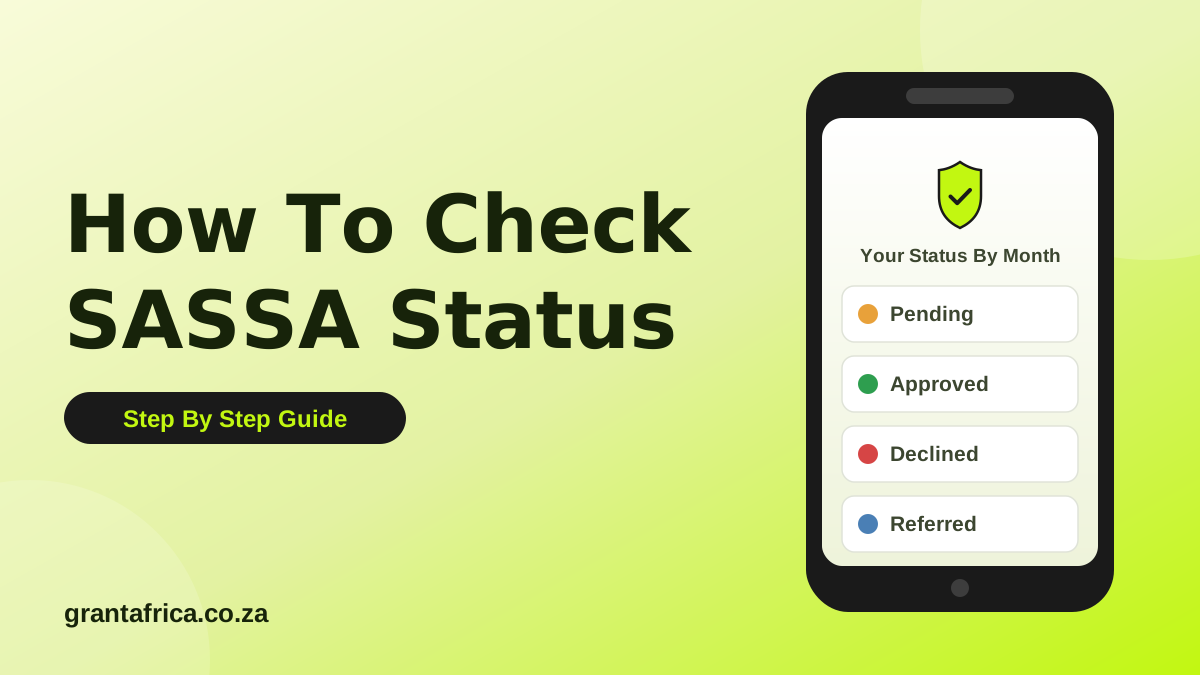
Your SASSA status can only be checked on SASSA's official SRD portal. This guide shows you the exact steps, what each status means, and what to do next. Grant Africa never asks for your ID number or phone number.
Checking your SASSA status should take about two minutes, and it is completely free. There is only one safe place to do it: SASSA's official SRD portal. This guide walks you through the exact steps, explains what every status means, and shows you what to do next for each outcome.
One promise before we start: Grant Africa never asks for your ID number, your phone number, your PIN or your banking details, and this website collects no personal information at all. We cannot see your status and we cannot check it for you. What we can do is show you exactly where to check it yourself, safely, on the official website.
What You Need Before You Check
For an SRD R370 status check, the official portal asks for two things:
- Your South African ID number, the one you used when you applied.
- The cellphone number you registered with when you applied for the grant.
Those two details are entered only on SASSA's official portal, never on this website and never on any other website, app or social media page. If any site other than the official one asks for them, close it.
Step By Step: Check Your SRD R370 Status On The Official Portal
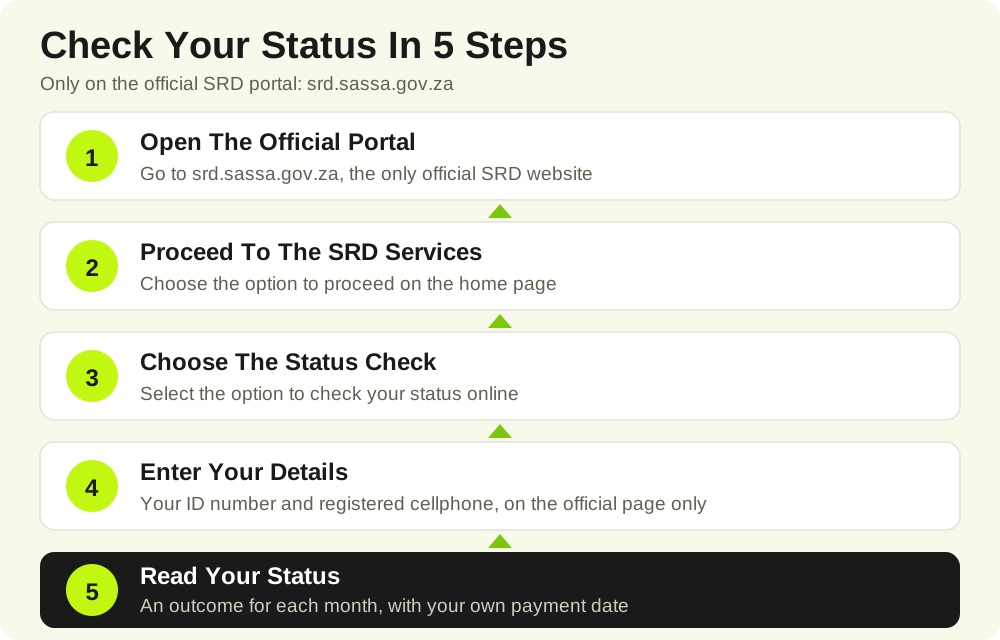
- Open the official SRD portal. Go to srd.sassa.gov.za in your browser. Check the address carefully: the real portal is a sassa.gov.za address.
- Choose to proceed. On the home page, select the option to proceed to the SRD services.
- Choose the status check. Select the option to check your application status online.
- Enter your details on the official page. Type in your ID number and the cellphone number you applied with, then submit.
- Read your status month by month. The portal shows an outcome for each month separately. For every approved month, your own personal payment date appears with that month's status.
That is the whole process. If the portal is slow, try again later in the day rather than turning to unofficial websites: payday weeks are busy, and the official portal is the only place where your real status exists.
Checking The Status Of Other Grants
The online status check on the SRD portal is for the SRD R370 grant. The other grants, the Older Persons Grant, Disability Grant, Child Support Grant, Foster Child Grant, Care Dependency Grant, Grant-in-Aid and War Veterans Grant, are paid on SASSA's official monthly payment dates, shown below. If you have a question about your own permanent grant, use the official contact channels on sassa.gov.za, or visit your nearest SASSA office with your ID document.
What Your Status Means
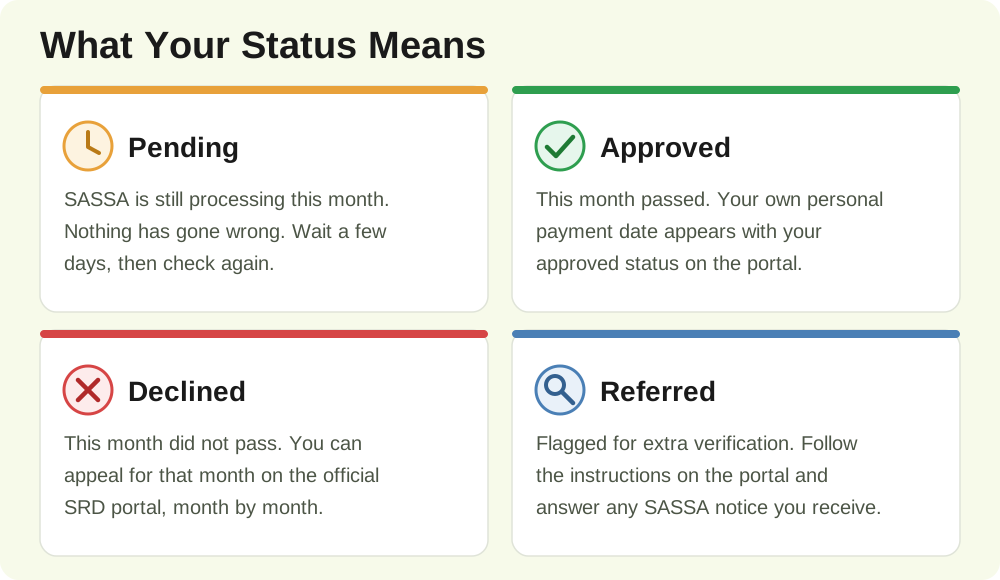
After you check, you will see one of these statuses for each month. Here is what each one means, and what to do next.
Pending
What it means: SASSA is still processing your application or that month's check. Nothing has gone wrong. Your outcome is simply not ready yet.
Your next step: wait a few days, then check again on the official portal. Keep the phone number you applied with active, because SASSA sends notices to it.
Approved
What it means: that month's SRD outcome has been approved, and a payment will be made for it.
Your next step: read your payment date on the same screen. For SRD, the payday is personal to you and appears with your approved status. There is no single payday that applies to everyone.
Declined
What it means: that application or monthly check did not pass. Common reasons include income found in the bank account linked to your ID, or details that could not be verified.
Your next step: you can appeal for that month on the official SRD portal. The appeal route is explained in the next section.
Referred
What it means: your application was flagged for extra verification, for example a check against other government databases or a fraud-risk check.
Your next step: follow the instructions shown on the official portal and respond to any SASSA notice you receive. Keep your ID document and the phone number you applied with ready.
If Your Status Says Declined: How To Appeal
- Go back to the official SRD portal at srd.sassa.gov.za.
- Choose the appeal option and select the month that was declined.
- Follow the steps on the official page and submit your appeal.
- Repeat for every declined month: appeals work month by month, so one appeal does not cover other months.
An appeal is free. Never pay anyone who offers to appeal on your behalf or promises to change your outcome.
SASSA Payment Dates For November 2026
SASSA moved this payment cycle in its statement of 14 October 2026, because Wednesday 4 November 2026 is a local government election public holiday. These are the revised, official dates:
| Grant | Payment Date |
|---|---|
| Older Persons Grant | Friday, 30 October 2026 |
| Disability Grant | Monday, 2 November 2026 |
| Children's Grants | Tuesday, 3 November 2026 |
| Grants Under Review | Thursday, 5 November 2026 |
SRD R370: there is no fixed payment date. Your payday is personal and appears with your own approved status on the official portal. Your money also stays in your account after payday, so there is no need to queue or withdraw everything on the first day.
Stay Safe: Only Trust The Official Websites
- Only two websites are official: srd.sassa.gov.za for SRD, and sassa.gov.za for everything else.
- Never share your PIN. SASSA will never ask for your PIN, and neither will we.
- Never pay to check. Checking your status and appealing are free. Anyone charging for it is running a scam.
- Grant Africa collects nothing. This site has no form for your ID number or phone number. Our homepage checker helper only shows you the official steps and sends you to SASSA's own websites.
If you found this guide useful, the safest next step is the official portal itself. And if you ever spot an error in this guide, email us at info@grantafrica.co.za: corrections from readers are respected, checked and fixed.
Questions People Ask About This Page
Can Grant Africa Check My Status For Me?
No. Grant Africa cannot see or check anyone's grant status, and we never ask for your ID number or phone number. Only you can check your status, on SASSA's official SRD portal at srd.sassa.gov.za, using your ID number and the cellphone number you applied with.
Why Does My Status Say Pending?
Pending means SASSA is still processing that month's check. It does not mean you were declined. Wait a few days, then check again on the official portal.
How Do I Appeal If My SRD Month Was Declined?
Go to the official SRD portal at srd.sassa.gov.za and follow the appeal option for the declined month. Appeals work month by month, so appeal separately for every month that shows Declined.
When Will My SRD R370 Be Paid?
There is no single SRD payday for everyone. Your payment date is personal to you and appears with your approved status on the official SRD portal.
What Must I Never Do When Checking My Status?
Never enter your ID number, phone number, PIN or banking details on any website other than SASSA's official websites, and never pay anyone who offers to check your status or speed up your grant. Checking your status is free.
Facts, Checked Against Trusted Sources
- SASSA moved the November 2026 payment cycle in its statement of 14 October 2026, because Wednesday 4 November 2026 is a local government election public holiday. Source: SASSA
- The revised November 2026 payment dates are: Older Persons Grant on Friday 30 October 2026, Disability Grant on Monday 2 November 2026, Children's Grants on Tuesday 3 November 2026, and grants under review on Thursday 5 November 2026. Source: SASSA
- The SRD grant is R370 per month, and every approved month carries its own personal payment date, which appears with your status on the official SRD portal. Source: SASSA SRD Portal
- SRD appeals work month by month: if more than one month was declined, each declined month needs its own appeal on the official portal. Source: SASSA SRD Portal